The
NOA can stop the WSM application from the
LMT.
After
stopping the WSM application from the LMT,
the current mode state will refresh only
after user activity, such as clicking on
a menu item or link. The application must
be running in Active state for this operation
to complete.
Procedure
To
stop the WSM application follow these steps:
Log
into the WSM with your NOA account login
and password.
If
currently logged in, return to the
Main Menu.
The
screen displays the Main Menu.
Click System
Maintenance .
The
screen displays the System Maintenance
screen.
Click Stop
the WSM .
The
Confirm screen appears.
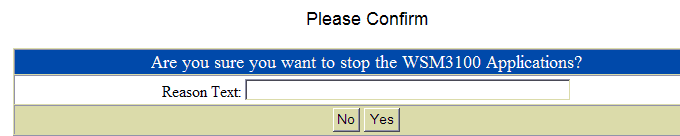
Type
a short explanation for the shutdown
in the Reason Text field. Comments are
required.
Click Yes to
shut down the application or No to
exit the process.
If
you clicked Yes the application will
be shut down.
Click System
Maintenance to return to that
menu.
|








