The
NOA can reboot the WSM platform machine.
Procedure
To reboot the
WSM Platform Machine, follow
these steps:
Log into
the WSM with your NOA account
login and password.
The
screen displays the Main Menu.
Click System
Maintenance .
The
screen displays the System
Maintenance screen.
Click Reboot
WSM Platform Machine .
The
screen displays a confirmation
window.
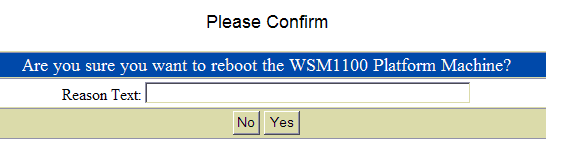
To reboot,
type reason in the Reason Text
field, then click the Yes button.
To return to the System Maintenance
screen, click No .
The
WSM reboot. The WSM is unreachable
until it comes back online
completely.
Click Yes to
continue or No to
exit the procedure.
If
you clicked Yes the machine
is restarted.
Click System
Maintenance to return
to that menu.
This
task is completed.








